How To Use And Recreate Mintlify
guide2026-06-0213 min read
Mintlify 的价值不是“又一个静态文档模板”,而是把 Git、MDX、API reference、搜索、AI 可读性、协作和托管部署打包成一个开发者文档平台。
mintlifydocsdeploymentsaas
Summary
Mintlify 是一个面向开发者文档、API 文档、知识库和帮助中心的 SaaS。它用docs.json 管配置,用 MDX 写内容,用 Git 同步和托管平台完成部署,同时提供 API playground、OpenAPI / AsyncAPI 页面生成、搜索、内置组件、Web editor、AI assistant、agent、workflows、search MCP、admin MCP、analytics、feedback、custom domain、SSO 和企业安全能力。
它适合那些不想维护自建 Docusaurus/Nextra/Next.js 文档基础设施,但又希望文档足够现代、可搜索、可被 AI 工具读取、能接 OpenAPI、能自动部署、能让团队在浏览器里协作的团队。复刻 Mintlify 可以复刻“文档站生成器”和一部分前端体验,但完整复刻它的 SaaS、协作、AI、搜索、托管、analytics 和企业能力,是一个中大型产品工程。
What This Solves
Mintlify 解决的是开发者文档长期最麻烦的几个问题:- 文档要像代码一样进 Git,能 review、能版本管理。
- API 文档要能从 OpenAPI 生成,而不是手工维护。
- 写作体验要比纯 Markdown 强,能用组件、卡片、步骤、提示、代码组。
- 部署要简单,不应该每次都维护 Next.js、CDN、搜索索引和构建 pipeline。
- 文档要对人和 AI 都友好,既能被开发者浏览,也能被 LLM、agent、MCP 工具消费。
- 大公司需要权限、SSO、SLA、安全审查、迁移支持和 analytics。
Who This Is For
这篇笔记适合三类人:- 想用 Mintlify 快速搭建文档站的人。
- 想理解为什么 Anthropic、Anaconda、Fidelity、AT&T 等团队会采用 Mintlify 的人。
- 想评估能否复刻 Mintlify、用开源仓库自建类似产品的人。
Prerequisites
- 一个 GitHub 仓库。
- Node.js 和
npm或npx。 - Mintlify 账号。
- 一个
docs.json配置文件。 - 一组
.mdx文档页面。 - 如果要做 API reference,需要 OpenAPI spec。
- 如果要部署生产站点,需要 custom domain、DNS 权限和 Mintlify GitHub app。
The Workflow
从 starter 开始
最快的路线是使用 Mintlify starter repository。官方 starter 说明里写得很直接:复制模板后,可以得到 guide pages、navigation、customizations、API reference pages 和常用 components 示例。基本本地开发命令是:也可以不全局安装,直接用:本地预览通常在:
理解 docs.json 的作用
Mintlify 的核心配置文件是 这让内容和导航都在 Git 里,而不是只存在后台数据库里。
docs.json。它定义主题、站点名、颜色、导航、页面分组、logo、API reference、search、integrations 等配置。一个最小结构大概是:用 MDX 写文档
Mintlify 页面通常是 对产品文档来说,MDX 的好处是页面既能保持文本可维护,又能有足够的交互和视觉结构。
.mdx。它保留 Markdown 的轻量写作方式,同时允许使用内置组件。常用内容结构是:接入 Git 同步和自动部署
官方 docs 说明,Mintlify 项目的 repository 是 source of truth:每个页面是 MDX,这对团队很重要:工程师仍然用熟悉的 PR 和 Git review 流程,文档团队也能用 Web editor 快速改内容。Mintlify 的 Web editor 不是简单后台表单,它支持 automatic saving、live preview、continuous Git sync、多人实时协作和 publish 到 Git;如果在 feature branch 上 publish,则创建 pull request。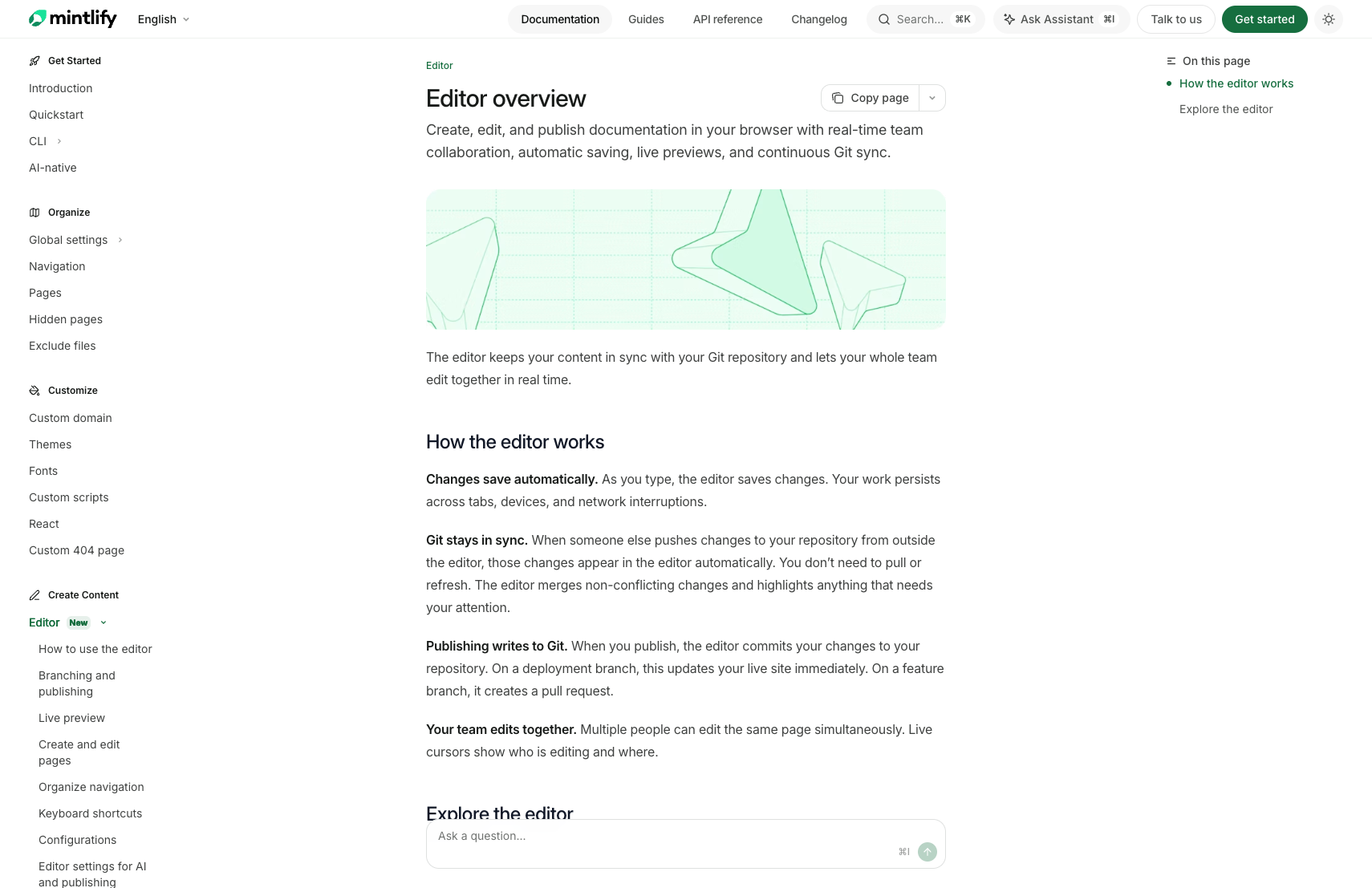
docs.json 配置导航、主题和站点设置。Mintlify dashboard 连接 repository,负责 deployment、settings、team management 和浏览器编辑。如果使用自己的 GitHub repository,需要安装 Mintlify GitHub App。官方 GitHub deploy 文档写明,这个 app 用于 automated deployments、pull request preview builds 和 continuous documentation synchronization。它需要的权限包括 metadata 读取,以及 checks、code、deployments、pull requests 的读写权限。实际工作流一般是:为 API reference 接 OpenAPI
Mintlify 对 API 文档的核心吸引力之一是 API playground 和 OpenAPI / AsyncAPI 支持。官方 OpenAPI setup 写明,Mintlify 支持 OpenAPI 3.0 和 3.1,可以从 JSON 或 YAML spec 生成交互式 API 文档。你可以在 API playground 可以发送真实请求并展示 response。它支持从 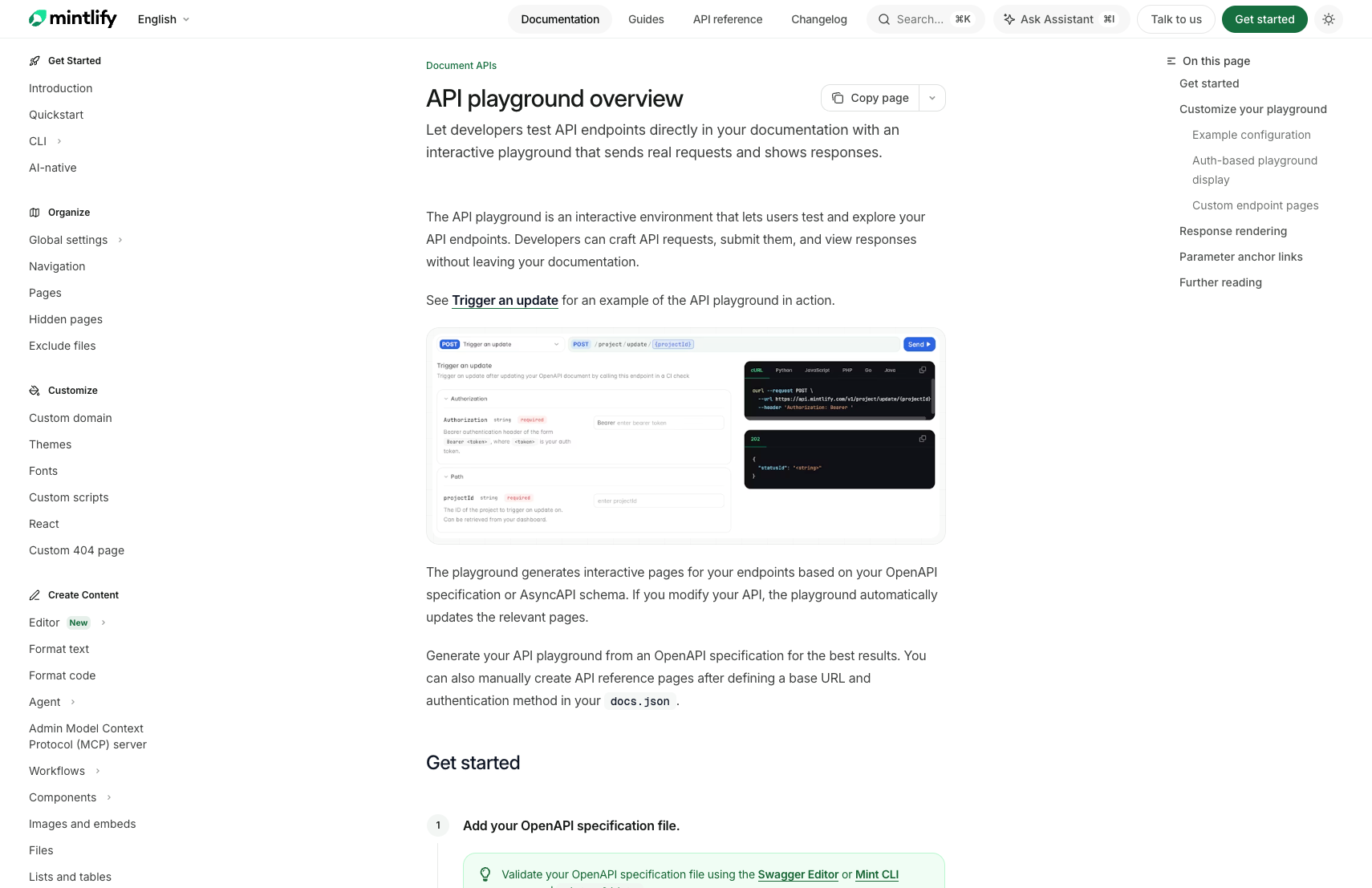
docs.json 的 navigation 中引用一个或多个 spec:servers 里读取 base URL,从 securitySchemes 和 security 里生成认证输入,还能配置 interactive、simple、none、auth 等显示模式,以及是否通过 Mintlify proxy 转发请求。对 API 公司来说,这比手写 endpoint 页面可靠得多,因为 schema、示例、认证、请求体、响应体和 endpoint 页面可以从同一份规范派生。配置搜索、AI 和 LLM 入口
Mintlify 官方 docs 页面把自己描述为 AI-native 文档平台,强调 smart search、interactive API playgrounds、built-in analytics 和 AI features。它的 AI 层分成几块: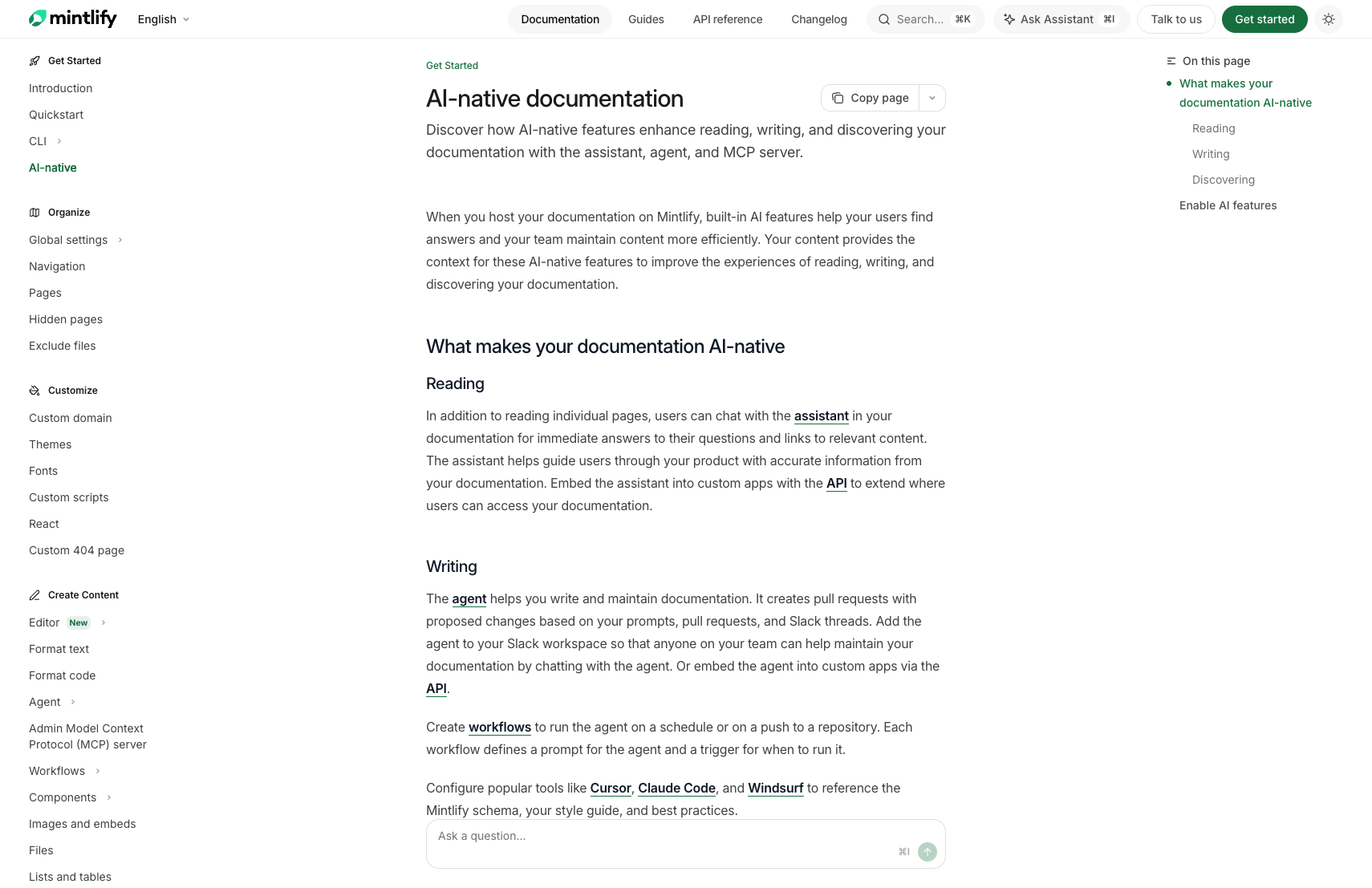
- Assistant: 文档站内的 AI chat,回答用户问题、引用来源、生成代码示例。官方 assistant 文档写明它 included on all plans and enabled by default。
- Agent: 研究、计划、写作、验证,然后创建 pull request;它不会直接 commit 到 main branch。
- Workflows: 在 schedule、content update 或 code change 触发时运行 agent,官方文档写明每个 workflow 每日最多运行 500 次,失败运行不计入限制。
- Search MCP: 给 Claude、Cursor、ChatGPT 等 MCP client 暴露搜索和页面读取工具。
- Admin MCP: 给受信任 AI 工具写权限,可以编辑页面、改 navigation、更新
docs.json、创建 workflow,并通过 branch / PR 合并。 - AI-readable exports: 自动生成
.md页面、llms.txt、llms-full.txt和skill.md。
- 被 LLM 正确读取。
- 能输出适合 AI 消费的 markdown。
- 能通过 MCP 或 agent 工具进入开发环境。
- 能分析用户和 agent 到底在哪里找不到答案。
打开 analytics 和 feedback 闭环
Mintlify 的 analytics 不只是 page views。官方 Analytics 文档写明,dashboard 可以看 visitors、assistant interactions、search queries 和 feedback,并且可以区分 human visitors 和 AI traffic。具体可看的信号包括: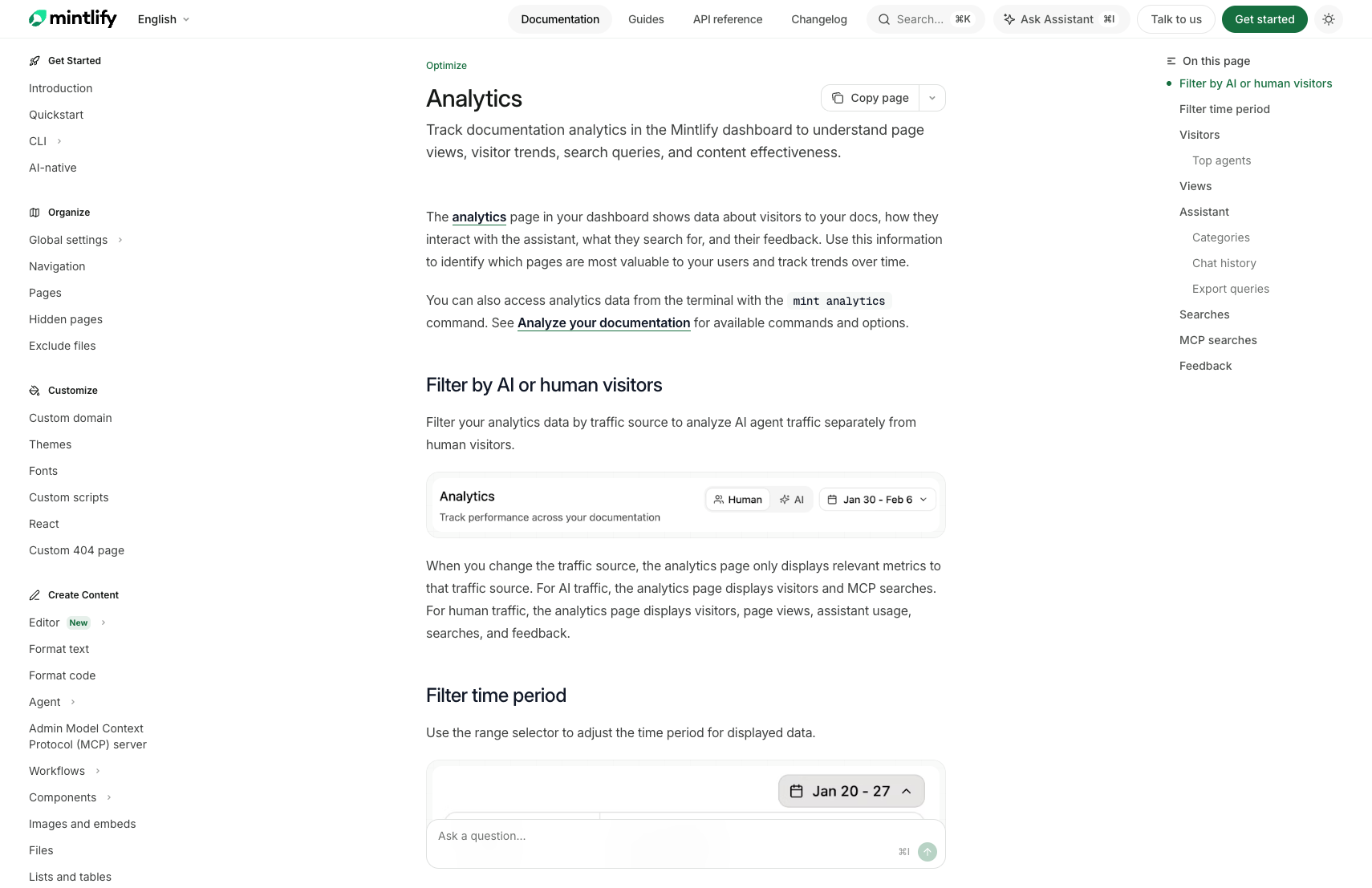
- visitors、page views、referrals。
- AI traffic 下的 top agents 和 MCP searches。
- assistant usage、assistant categories、chat history、sources cited。
- search query、click-through rate、most-clicked result path。
- user feedback、thumbs up/down、page-level feedback。
- CSV export,用来分析 unanswered / unsuccessful assistant queries。
部署到自定义域名
产品文档通常会放在:使用 Mintlify 时,通常是在 Mintlify dashboard 里配置 custom domain,再在 DNS 服务商处添加 CNAME 或相关记录。自定义域名是 Starter 当前公开页就列出的能力之一。如果不用 Mintlify 托管,也可以把内容导出或迁移到其他静态站方案,但会失去 Mintlify 托管平台提供的一部分搜索、AI、分析和协作能力。
Why Teams Use It
Anthropic 这类公司选择 Mintlify 的原因,不只是页面好看。Mintlify 官方 Anthropic customer story 的标题和描述很明确:Anthropic 用 Mintlify 加速 AI development 和 adoption。文中还提到 Anthropic 从 2024 年开始和 Mintlify 合作,并且现在每月有超过 150 万开发者依赖 Anthropic docs。 这类 AI 公司对文档有几个特殊需求:- API 更新非常快,文档不能成为发布瓶颈。
- 开发者第一次接触产品时,文档就是主要 onboarding。
- SDK、API reference、模型说明、prompt 示例、错误码和迁移指南都要清楚。
- 文档需要能被 ChatGPT、Claude、Cursor、Codex 等 AI 工具读取。
- AI agent 时代,文档还要能暴露成 MCP、markdown export、LLM-friendly 格式。
Feature Map
Mintlify 当前官方材料里能看到的功能可以分成九组。1. Docs-as-code content layer
- MDX 页面。
docs.json配置。- GitHub 或 GitLab repository 作为 source of truth。
- 页面 frontmatter,包含 title、description、icons、layout mode 等。
- Navigation groups、tabs、dropdowns、anchors、hidden pages。
- Redirects、custom 404、SEO metadata、canonical / Open Graph 等。
.mintignore排除不发布的文件。
2. Built-in MDX component system
官方 components overview 把组件分成 layout、emphasis、API documentation 和 navigation。常用组件包括:- Tabs、CodeGroup、Steps、Columns、Panel。
- Callouts、Banner、Badge、Update、Frames、Tooltips。
- Prompt,用来展示可复制的 AI prompt 和 Cursor 集成按钮。
- Accordions、Expandables、View、Visibility。
- Fields、Responses、Examples。
- Cards、Tiles、Tree、Mermaid。
Visibility 特别值得注意:它可以控制同一页中哪些内容给 human web UI 看,哪些内容只进入 Markdown / AI agent 输出。
3. API documentation and playground
- OpenAPI 3.0 / 3.1 support。
- AsyncAPI support,用于 WebSocket / real-time channel docs。
- 自动生成 endpoint pages。
- 可只生成指定 endpoints。
- 支持多个 OpenAPI specs。
- 支持通过 hosted URL 引用 external OpenAPI spec。
- 支持 API playground 发送真实请求。
- 支持 authentication fields,从 OpenAPI
securitySchemes生成。 - 支持
x-default给 playground 预填认证或字段值。 - 支持
x-hidden和x-excluded控制 endpoint visibility。 - 支持
x-mintextension 做页面级定制。 - 支持 SDK examples,例如 Speakeasy、Stainless。
4. Deployment and Git workflow
- Mintlify-hosted repository 或自有 GitHub / GitLab repository。
- GitHub App 自动同步。
- Push 后自动 deployment。
- Pull request preview builds。
- Web editor publish 到 Git。
- Branching、draft、preview deployment 和 PR review 流程。
- Dashboard 查看 deployment status。
- REST API 触发 production update 或 preview deployment。
5. Web editor and team editing
- Browser-based editor。
- Automatic saving。
- Real-time collaboration。
- Live preview。
- Continuous Git sync。
- Navigation drag-and-drop,不必手写
docs.json。 - Configurations panel 可改 branding、colors、appearance 和 feature settings。
- Editor settings 可控制 AI instructions、pull request defaults、draft behavior 和 merge method。
6. AI-native publishing
- 每个 HTML 页面也能用
.md后缀导出 Markdown。 - 发送
Accept: text/markdown或Accept: text/plain可拿 Markdown 版本。 - API reference Markdown 默认包含 OpenAPI / AsyncAPI context。
- 自动生成
llms.txt和llms-full.txt。 - 自动生成
skill.md,描述产品能力、skills、workflows 和 constraints。 - 页面 HTTP headers 暴露
llms.txt和llms-full.txtdiscovery。 - Search MCP 让 AI tools 搜索和读取文档。
- Admin MCP 让受信任 AI tools 编辑文档、改配置和开 PR。
7. Assistant, agent, and workflows
- Assistant: 文档站内 AI chat,基于文档和 API spec 回答、引用来源、生成代码示例。
- Assistant 支持 page context、file attachments 和多模态上下文。
- Assistant 只基于文档回答;找不到信息时可以给 deflection email。
- Agent: 搜索、读取、计划、写作、运行 Mintlify CLI checks、开 PR。
- Agent 可从 Slack thread、pull request、file attachment 和 connected repositories 获取上下文。
- Workflows 可按 content update、code change、custom schedule 触发。
- Workflows 可用于 changelog、SEO audit、translation、source-code-driven docs updates。
8. Analytics, feedback, and optimization
- Dashboard analytics。
- CLI analytics。
- Human traffic 与 AI traffic filter。
- Visitors、page views、top pages、referrals。
- AI traffic 的 top agents 和 MCP searches。
- Assistant usage、conversation categories、chat history、cited sources。
- Search queries、CTR、most-clicked result path。
- Feedback widgets、page ratings、thumbs up/down。
- Agent feedback,用来收集 agent 对页面准确性、过时内容和困惑点的反馈。
- PDF exports。
9. Enterprise controls and integrations
- Custom domain 和 automatic TLS。
- Authentication / private docs。
- Role-based permissions。
- Dashboard SSO。
- Audit logs。
- Security contact。
- Enterprise security and legal review。
- Performance SLA / custom SLA。
- Migration services。
- Slack support 和 dedicated customer success。
- Analytics integrations: Google Analytics, GTM, PostHog, Mixpanel, Segment, Amplitude, Plausible, Fathom, Pirsch, Hotjar, LogRocket 等。
- Support integrations: Intercom, Front。
- Privacy integrations: Osano。
Mintlify 的优势来自“组合”:如果只看 MDX,很多框架都能做;如果只看托管,Vercel 也能做;如果只看 API docs,Scalar、Redoc、Stoplight 也能做。Mintlify 把这些放在一个开发者文档平台里。
Pricing Notes
2026-06-02 查到的 Mintlify pricing 页不是传统的“按 seat 明码标价”页面,而是一个 Starter + Enterprise 的结构,再叠加 credits。官方页面的可见内容如下。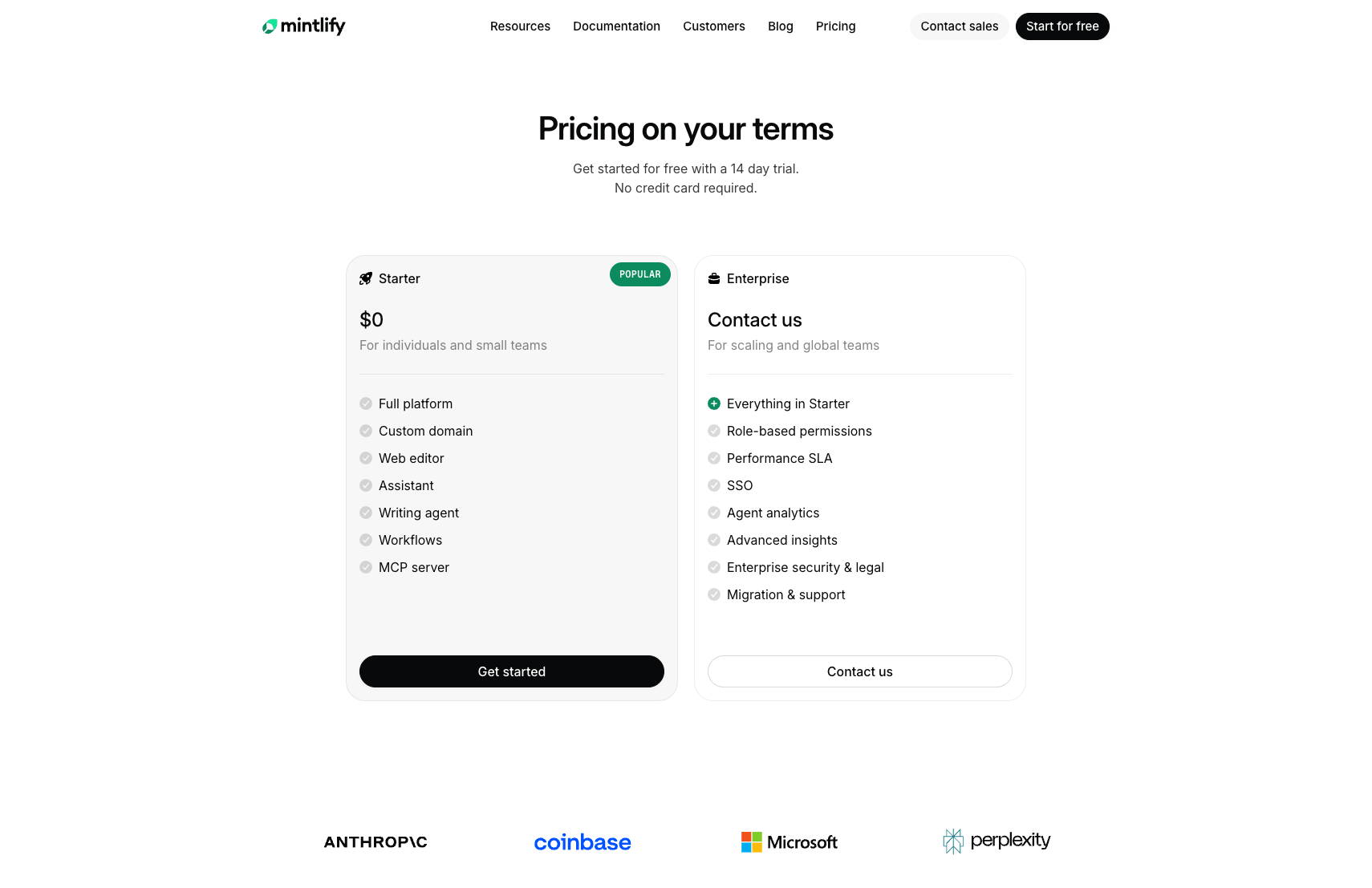
Starter
- Price:
$0。 - Target: individuals and small teams。
- CTA: get started / start for free。
- 页面写着 14 day trial,no credit card required。
- Included capabilities listed on the pricing page:
- Full platform。
- Custom domain。
- Web editor。
- Assistant。
- Writing agent。
- Workflows。
- MCP server。
Enterprise
- Price: contact us / contact sales。
- Target: scaling and global teams。
- Includes everything in Starter。
- Additional items listed on the pricing page:
- Role-based permissions。
- Performance SLA。
- SSO。
- Agent analytics。
- Advanced insights。
- Enterprise security and legal。
- Migration and support。
Feature matrix on pricing page
Pricing page 的表格还列出这些能力维度:- Features: Web editor、API playground、Git sync、Search、Integrations、Webhooks、Websockets、Developer API、Analytics、User feedback、Agent analytics、Advanced insights、Agent feedback、Enterprise file types、Agents、MCP server。
- Credits: Starter 看到的是
5,000 to trial – upgrade for more;Enterprise 看到的是5,000 included – overages apply。 - Overage: 页面可见
$0.01 for overages,并写有 tiered packages available。 - Assistant / agent: Assistant、Writing agent、Support integrations、Agent skills、Workflows、External sources。
- Customization: Built-in components、Custom components、Custom CSS and JS、White labeling。
- Publishing: Custom domain、SEO optimizations、GEO optimizations、Agent optimizations、Preview deployments、Grammar and spelling checks。
- Security: Authentication、PDF export、Role-based permissions、Dashboard SSO、Security review、Legal review、Custom SLAs。
- Services: Migration services、Slack support、Dedicated customer success、24/7 incident monitoring。
What the pricing implies
Starter 是进入门槛:你可以开始搭文档站,验证 custom domain、web editor、assistant、agent、workflows 和 MCP server。真正的企业价值在 Enterprise:RBAC、SSO、SLA、安全法务、agent analytics、advanced insights、migration support 和 customer success。 对于采购判断,可以按这几个问题拆:- 是否需要 SSO / RBAC / private docs?
- 是否需要把 assistant、agent、MCP、workflow 放进正式用户体验?
- AI assistant / workflow 的 credit 消耗是否可控?
- 是否需要 migration services 把 Docusaurus、ReadMe、GitBook 等迁移过去?
- 是否需要 analytics 区分 human traffic 和 AI agent traffic?
- 是否需要安全审查、legal review、SLA 和 dedicated support?
Replication Strategy
Mintlify 可以复刻吗?答案是:可以复刻一部分,但不要低估完整产品。 能相对容易复刻的部分:docs.json风格的配置文件。- MDX 页面渲染。
- 侧边栏和导航。
- 主题和 Tailwind UI。
- 静态导出。
- GitHub Actions 自动构建。
- OpenAPI 到 API reference 的基础生成。
- 基于 Algolia、Meilisearch 或 Pagefind 的搜索。
- mintlify/docs: 官方 Mintlify documentation,GitHub API 显示为 MIT License。
- mintlify/starter: starter kit。
- mintlify/components: documentation UI components。
- mintlify/mdx: Mintlify markdown parser。
- mintlify/themes: theme starter examples。
- mintlify/scalar: OpenAPI / API reference 相关能力。
- 多租户 SaaS dashboard。
- GitHub app 同步和权限模型。
- Web editor 的协作体验。
- 高质量全文搜索和索引服务。
- AI assistant 的检索、上下文构建、回答质量和安全边界。
- MCP server、agent workflows、agent analytics。
- 企业级 SSO、RBAC、审计、安全、SLA、迁移支持。
- 大量文档站的托管、缓存、构建队列和边缘性能。
Common Failure Modes
Final Checklist
- 用 starter 或现有 repo 建立
docs.json。 - 用
.mdx写页面,并给每页加title和description。 - 在本地跑
mint dev预览。 - 用
mint validate检查构建。 - 用
mint broken-links检查链接。 - 用
mint a11y检查可访问性。 - 接入 GitHub app 或自己的部署 pipeline。
- 配置 custom domain。
- 如果是 API 产品,接入 OpenAPI spec。
- 如果要复刻产品,先限定 MVP 范围,不要一开始就做完整 SaaS。
What To Remember
Mintlify 的核心优势是把开发者文档的内容层、展示层、部署层和 AI 消费层连起来。它不是最便宜的静态站方案,也不是唯一能写 MDX 的工具,但它把产品文档团队最常见的需求收进一个平台里。 如果目标是快速上线专业文档,直接用 Mintlify 很合理。如果目标是学习或做垂直产品,可以复刻它的公开部分和工作流。但如果目标是完整复刻 Mintlify SaaS,就要按一个文档基础设施公司来估算工程量,而不是按一个前端模板估算。Sources
- Mintlify documentation
- Mintlify pricing
- What is Mintlify?
- AI-native documentation
- Assistant
- What is the agent?
- Workflows overview
- API playground overview
- OpenAPI setup
- Search MCP server
- Admin MCP server
- Analytics
- Editor overview
- GitHub deployment
- Mintlify Anthropic customer story
- Mintlify starter repository
- Mintlify docs repository
- Mintlify GitHub organization
Metadata
Quick Reference
Typeguide
Statuspublished
Date2026-06-02
Retrieval Tags
mintlifydocumentationdeploymentdeveloper-experiencesaas
Related
Deploy LangFlow On A VPS And Build Flows Through MCPHow To Recreate Perplexity Computer In Langflow